Free Autodesk Fusion Training for Teachers: A Classroom Case Study
Earlier this year, PrintLab Pioneer Terri Reeves took part in the free Autodesk Fusion Fundamentals educator training course, delivered live online by CADClass - an Autodesk Learning Partner. In this short interview, Terri shares how the training helped build her confidence with Autodesk Fusion, and how she brought those skills straight into the classroom through hands-on student projects.
5th May 2026 • Case Studies
Could you tell us a little about yourself and your students?
Building my first 3D printer through a JSTI teacher program is really what pushed me into learning CAD, so I’ve been teaching CAD and working with 3D printing for about 15 years now. I currently teach STEM and Computer Science to students in grades 6 through 12, and I love giving them hands-on opportunities to design and create.

I actually found out about PrintLab through social media and was immediately impressed with what it offered. I started with the free trial and saw right away how much my students were learning and enjoying it. After that, I continued with a discounted plan for as long as I could because I really believed in the program. When the PrintLab Pioneer Program opened up, I was excited to apply so I could keep bringing those experiences to my students.
My students have a wide range of experience levels, but they all really benefit from project-based learning. Seeing their ideas go from a design on a screen to something they can actually hold is always a highlight.
What made you decide to take part in the Autodesk Fusion Fundamentals educator training?
I had mostly been using Tinkercad in my classroom, which worked really well, especially for beginners, but I knew my older students were ready for something more advanced. Since Autodesk Fusion is used in real-world careers, I wanted to give them experience with a tool they might actually use in the future.
Although Autodesk Fusion had been introduced to my students before, I didn’t feel fully confident in my ability to support them when they got stuck or had more in-depth questions. That was really the turning point for me, I realized that if I was going to use it well in my classroom, I needed to build my own skills first.
That’s what led me to the Autodesk Fusion Fundamentals educator training. It really helped me grow my confidence and better understand the program so I could support my students more effectively. After the training, I felt much more prepared, and it was great to see my students start creating some really impressive work with it.
How did you find the training overall?
The training was really hands-on, which I loved. We were given projects to work through, and the instructors (CADClass) guided us step-by-step as we built them. It wasn’t just sitting and watching, it was actually doing the work, which made a big difference.
One of the best parts was being able to ask questions in real time and get help from the instructors, who were incredibly knowledgeable. That support made it much easier to work through challenges as they came up.
I also really appreciated that I could go back after the sessions and work through the projects again on my own. That gave me a chance to really solidify my understanding and make sure I felt comfortable with everything before bringing it into my classroom.
How did the training impact your confidence using Autodesk Fusion?
Before the training, I was able to guide my students through step-by-step projects, like the ones in the PrintLab curriculum, but I didn’t always feel confident going beyond that. If students had deeper questions or wanted to try something more advanced, I wasn’t always sure I could fully support them.
After the training, that completely changed. My confidence went way up, not just in using Autodesk Fusion myself, but in teaching it. I felt like I finally understood the “how” and the “why” behind what we were doing, which made it so much easier to help students troubleshoot, explore, and push their designs further.
It really shifted me from just following instructions to actually feeling comfortable teaching and guiding students through the design process.
How did you introduce Autodesk Fusion into your classroom after the training?
After the training, I introduced Autodesk Fusion in a more structured way than I had before. Instead of just having students follow along, I started with guided projects from the Autodesk training to help them really understand the tools and features.
Once they built that foundation, I blended Autodesk Fusion into my existing PrintLab curriculum. Students were able to apply what they learned in Autodesk Fusion to their PrintLab projects, which gave them more flexibility and allowed them to take their designs further.
To get students started, I focused on building their confidence early on with smaller, guided activities before moving into more independent work. That progression really helped them feel comfortable using a more advanced program and set them up for success as they moved into their own designs.
Can you share one specific student project that stood out?
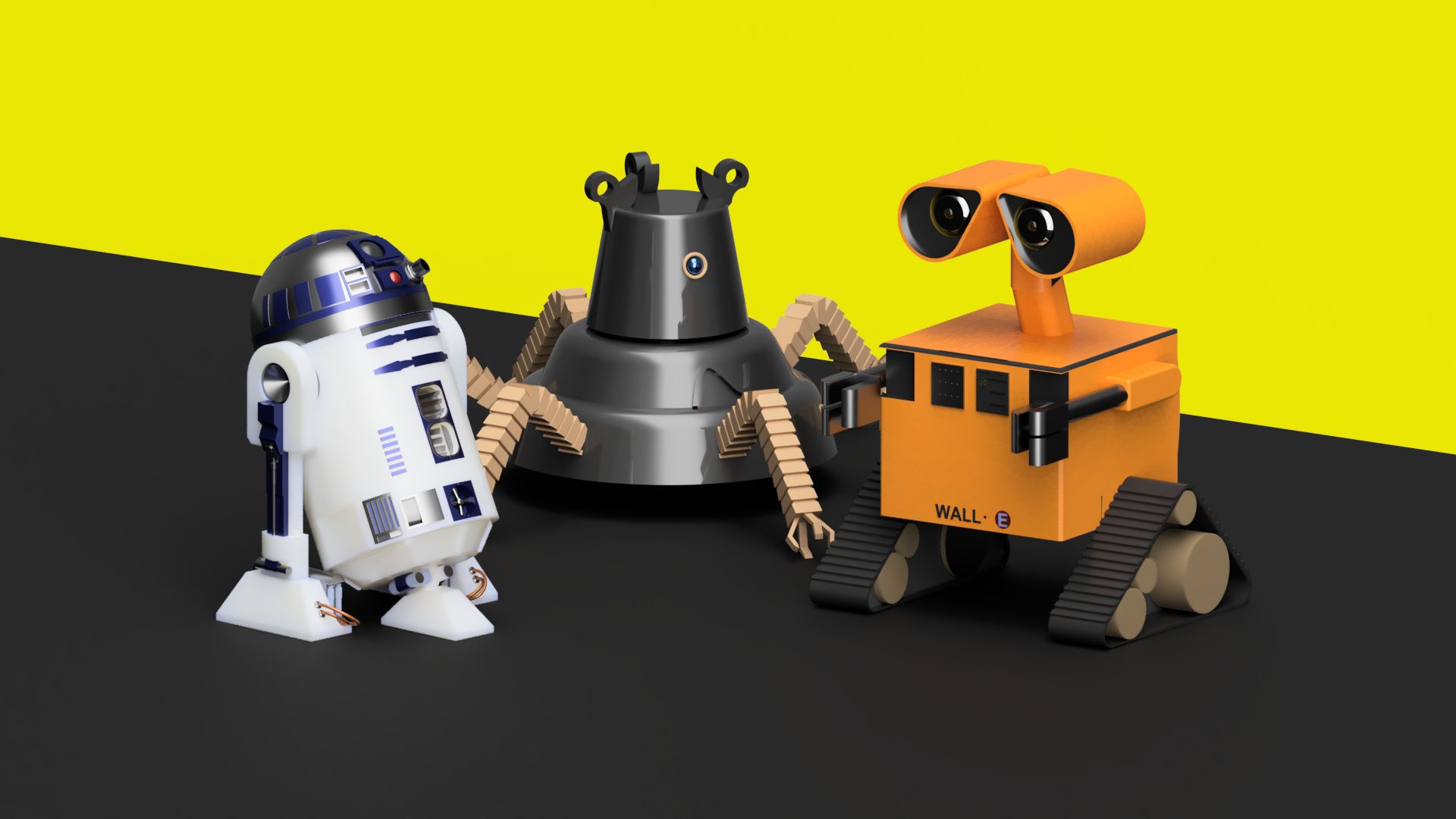
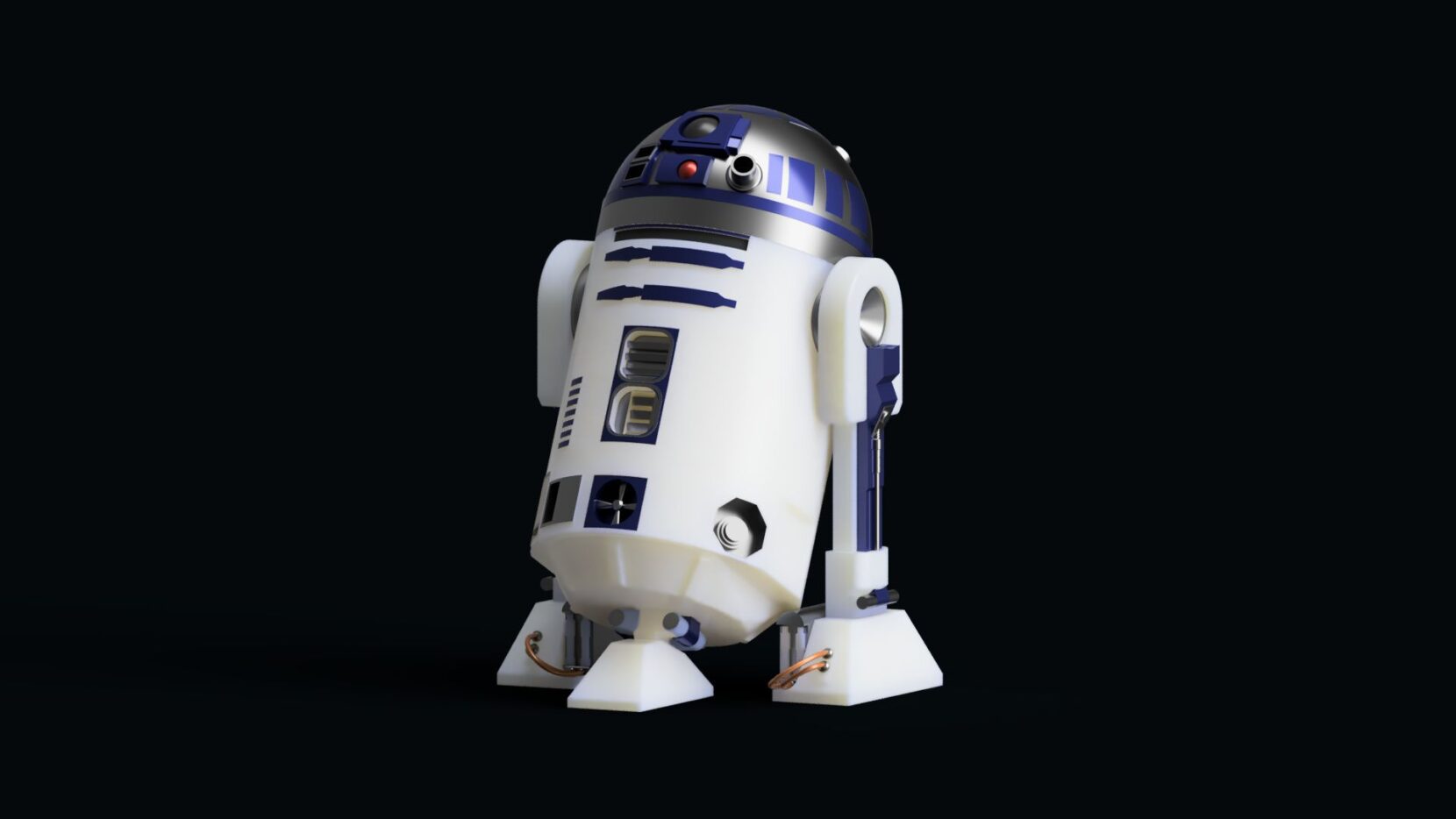
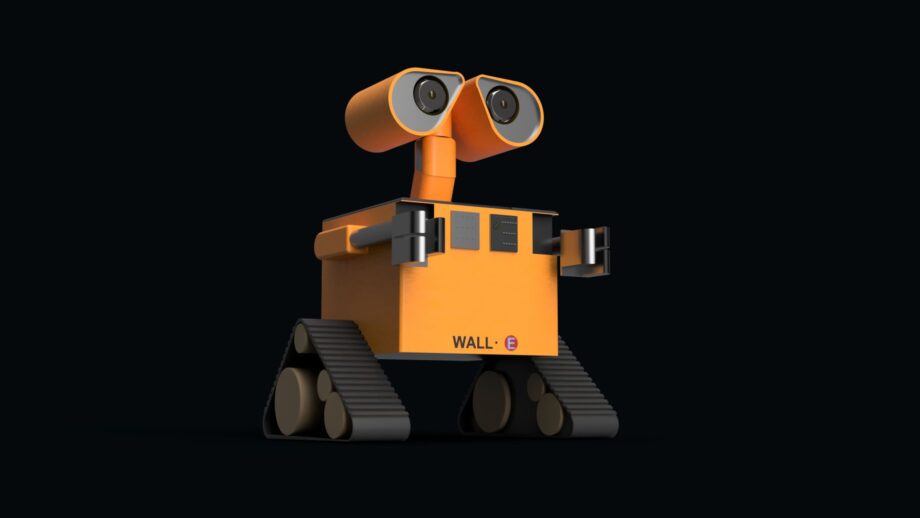
One project that really stood out was when I challenged my students to design a robot from scratch, like R2-D2 or Wall-E. The goal was to take everything they had learned and apply it in a more creative, open-ended way. What really impressed me was how invested they became. Many students worked on their designs not just in class, but also at home, which is always exciting to see.
One student, in particular, created an R2-D2 model that was just incredible. The level of detail and thought he put into the design really showed how much he had grown in his skills. It went beyond what I expected and really demonstrated what students can do when they’re confident with the software.
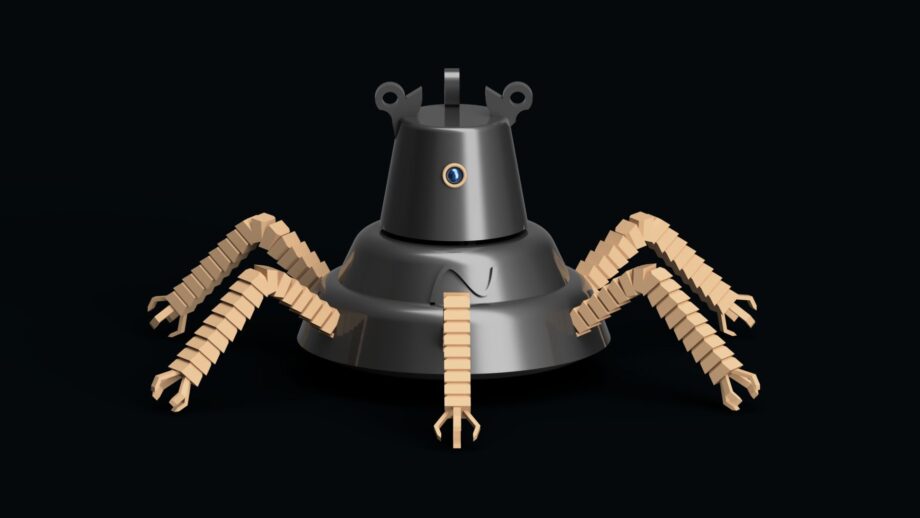
I also had another student create a robot inspired by “The Legend of Zelda”, which showed how students were able to bring their own interests into the project. Overall, the variety and quality of the final designs were really impressive.
What technical challenges did your students face, and how did they work through them?
With a more advanced program like Autodesk Fusion, students did run into challenges, especially when working through more complex design steps or trying to figure out how to create specific parts of their models.
What stood out, though, was how they handled those challenges. While each student worked on their own individual design, they regularly supported each other when someone got stuck. I have students sit in groups and try to pair more experienced designers with newer ones, so there’s always someone nearby who can help talk through a problem.
For example, if a student was struggling with a certain tool or step, they might ask a classmate for help, figure it out together, and then go right back to working independently on their own project.
I’ve also noticed that different students develop their own strengths in certain areas, and they naturally step in to help others when those skills are needed. It really creates a supportive environment where students can problem-solve together while still taking ownership of their own designs.
What are you currently working on, or what’s next for you and your students?
Earlier this year, my students worked on a project focused on helping residents in a local assisted living facility. The goal was to design something that would support their independence in everyday activities.
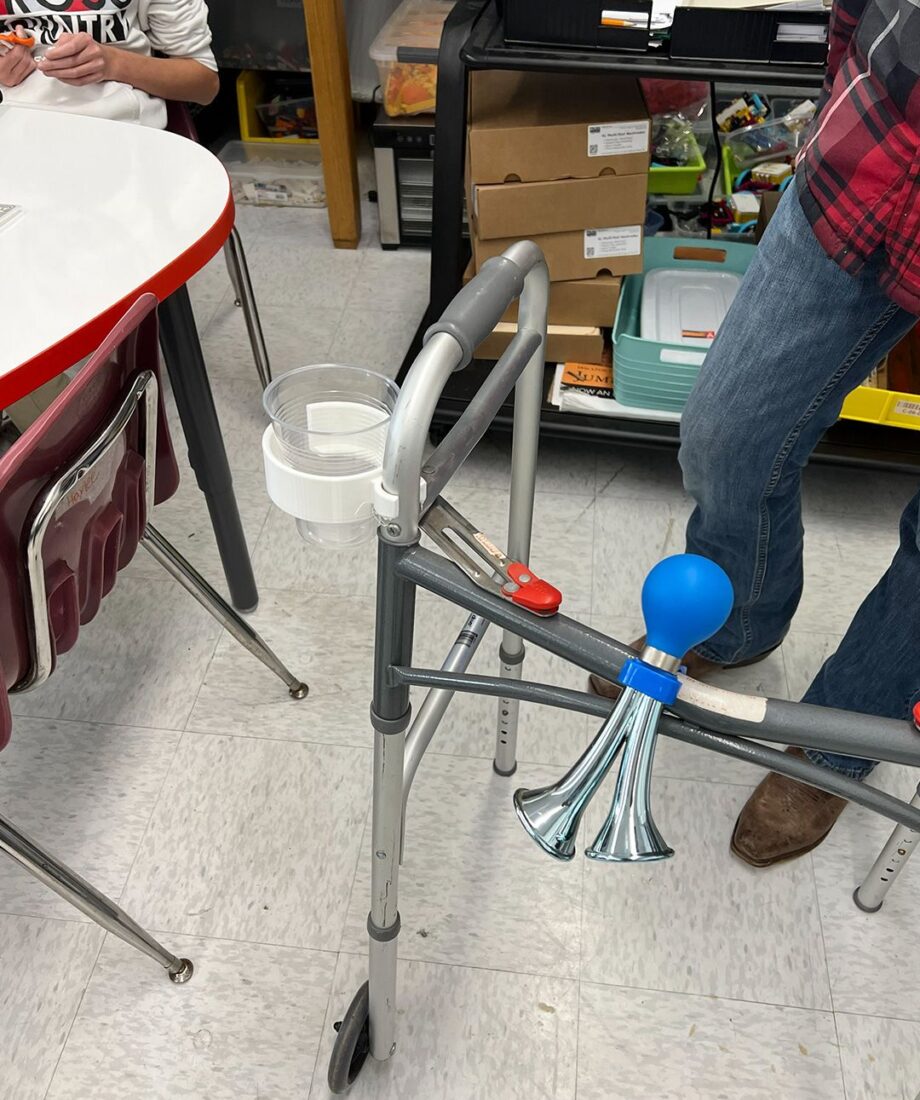
One specific need we learned about was that residents who use walkers had difficulty carrying drinks when they went outside. The facility administrator shared that many of them couldn’t easily bring a drink with them when they wanted to sit outside, which limited their independence.
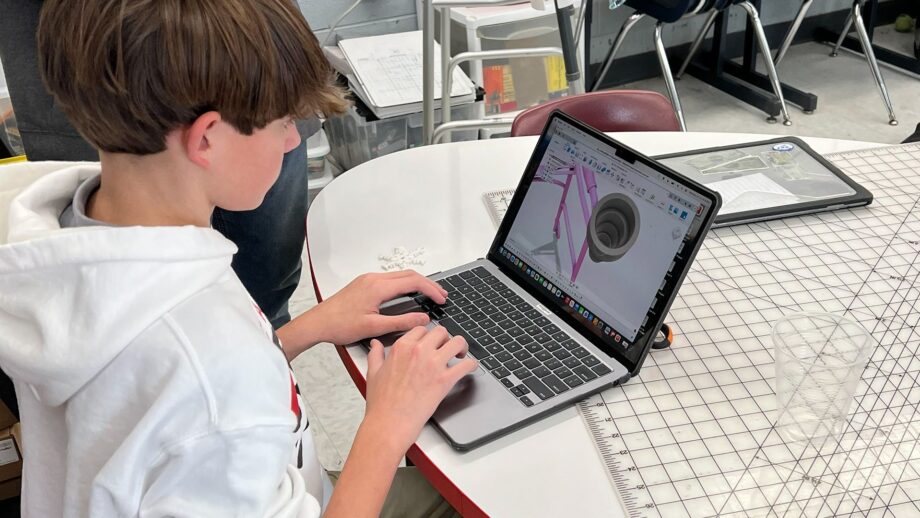
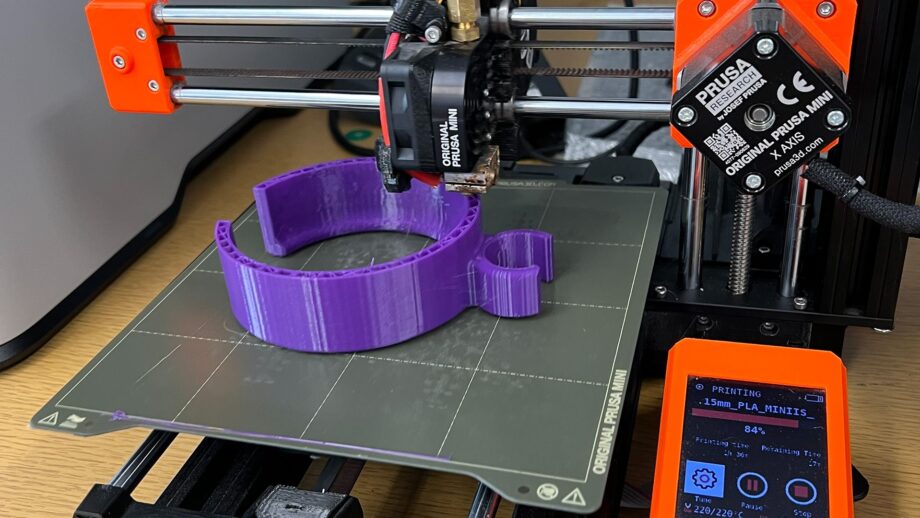
My students took that to heart and designed 3D printed cup holders that could attach to walkers. Seeing their designs solve a real problem for real people was incredibly meaningful for them. It helped them realize that what they’re learning in the classroom can truly make a difference in someone’s daily life.
They also created personalized Christmas ornaments using Autodesk Fusion, which added a really special and personal connection. Knowing that something they designed would be given directly to a resident made the project even more rewarding.
Currently, my students are continuing this work through the Make:able Challenge, where they are designing assistive devices to support people with disabilities and everyday challenges. They’re more motivated than ever because they’ve seen firsthand how their ideas and designs can positively impact others.
Would you recommend Autodesk Fusion Fundamentals educator training to other teachers?
I would highly recommend the Autodesk Fusion Fundamentals educator training to any teacher who wants to build their confidence and skills with Autodesk Fusion. It really helped me move beyond just following instructions to actually understanding the program and being able to teach it more effectively.
It’s an experience that can truly transform how you bring design and engineering into your classroom.
—
A big thank you to Terri for sharing her experience and the fantastic work from her students. It’s always inspiring to see how new skills can quickly translate into meaningful classroom projects.
If you’re looking to build confidence in 3D design and bring Autodesk Fusion into your teaching, Autodesk’s free educator training is a great place to start. These live online sessions are delivered by Autodesk Learning Partners around the world and are designed to give educators a strong foundation in parametric design.
Complete the application form by clicking the ‘Register Interest’ link below and we’ll send you the details for your local training.