PrintLab
  • Browse Courses
  • How it Works
    • For Schools and Makerspaces
    • For Designers and Makers
  • Free Trial
  • Browse Courses
  • How it Works
    • For Schools and Makerspaces
    • For Designers and Makers
  • Pricing Plans
  • Blog
  • Become a Reseller
  • Login

hello@weareprintlab.com

  • Twitter
  • Instagram
  • Facebook
  • Youtube
All
  • All
  • Tips
  • News
  • Case Studies
  • Make:able
  • 3D Models
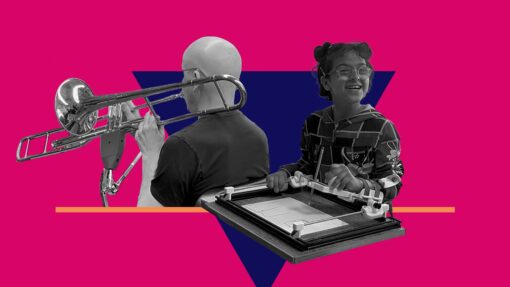
A black-and-white collage showing a person playing a trombone with an assistive support and a smiling child using an adapted drawing or writing board, set against a bold pink background with geometric shapes.

Discover the Make:able Challenge, a global design initiative using 3D design and 3D printing to create assistive solutions for real people. Here are seven reasons to take part.

7 Reasons to Take Part in the Make:able Challenge

22nd January 2026 • News

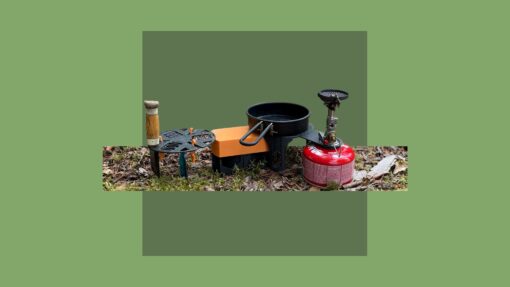
A compact 3D printed camping cooking station set up on forest ground. It includes a black stove platform attached to a red gas canister, a small frying pan, an orange table platform, and a side storage platform with a wooden-handled tool.

We’re sharing our example design journey for the Outdoor Adventures Challenge, exploring how a 3D printed camp kitchen evolved through observation, iteration, and real-world testing.

3D Printed Camp Kitchen: Design Process

14th January 2026 • News

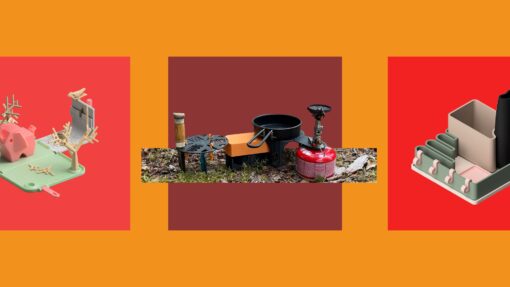
Hero collage showing three 3D printed design challenge themes: a desktop game, an outdoor camping setup, and a modular homeware organiser on bold coloured backgrounds.

Introducing new open-ended design challenges, including 3D Printed Games and Outdoor Adventures, alongside a refreshed challenge structure.

New PrintLab Design Challenges: 3D Printed Games and Outdoor Adventures

7th January 2026 • News

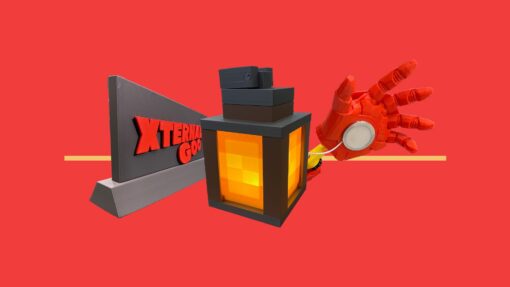
A collage-style image showing 3D printed products including a grey nameplate, a glowing lantern and a red prosthetic-style hand on a bright red background.

See how Moorpark High School blends PrintLab skills courses with hands-on 3D design and printing projects.

Blending 3D Printing Skills with Projects at Moorpark High School

8th December 2025 • Case Studies

A simple Venn diagram with three overlapping yellow circles on a purple background, labelled Actions, Objects, and Exercises, each with a small colourful icon above the label.

Learn how the Feature Combinations method helps spark better design ideas, with a real design example.

Spark Better Design Ideas with the Feature Combinations Method

18th November 2025 • Tips

Karima uses a 3D printed assistive arm device to brush her daughter Jouri’s hair. The image captures the device in use, showing how it supports everyday family routines.

The first feature in our Design Spotlight series explores Team Creovate’s modular 3D printed assistive arm device and the key design lessons from their design process.

Design Spotlight: Creovate’s Modular Assistive Arm Device

12th November 2025 • Case Studies

Graphical renders of a speaker and steam bent lamp design - both utilising geometric spiral features.

UK Design and Technology teacher Ed Chambers shares his approach to developing 3D CAD and 3D printing skills with students – from Year 7 to A-Level.

Advancing 3D CAD Skills in UK Design and Technology Classrooms

9th November 2025 • Case Studies

Collage image of a person chopping vegetables with a 3D printed assistive arm aid, and another person using a 3D printed tactile braille keyboard.

Take part in the 2026 Make:able Challenge from PrintLab and Autodesk. Use 3D design and printing to create and share open-source assistive technology.

PrintLab and Autodesk Launch the 2026 Make:able Challenge

31st October 2025 • News

A colourful graphical render of the 3D-printed Pinchee game created in Autodesk Fusion, featuring bold pastel colours.

Learn how to create bold, colourful graphical renders in Autodesk Fusion – a fast, playful way to showcase your 3D models.

How to Create Graphical Renders in Autodesk Fusion

21st October 2025 • Tips

  • Previous
  • Next

Address

PrintLab International Ltd
Unit 15
Chorley Central Business Park
Stump Lane
Chorley
PR6 0BL
UK

Useful Links

  • Privacy policy
  • Terms of Service
  • Testimonials
  • Become a reseller

Email

hello@weareprintlab.com

Social

  • Twitter
  • Instagram
  • Facebook
  • Youtube
This site is protected by reCAPTCHA and the Google Privacy Policy and Terms of Service apply.

Enter Your Code

Whats a code?

A code is a combination of letters and numbers that gives you access to PrintLab’s Student Portal. If your school or organisation is signed up to PrintLab Classroom, simply ask them for the code and enter it above. If you’re an educator and not sure where to find your code, click here.

I need help

For any support queries or general questions, please email hello@weareprintlab.com and we’ll be happy to help!