PrintLab
  • Browse Courses
  • How it Works
    • For Schools and Makerspaces
    • For Designers and Makers
  • Free Trial
  • Browse Courses
  • How it Works
    • For Schools and Makerspaces
    • For Designers and Makers
  • Pricing Plans
  • Blog
  • Become a Reseller
  • Login

hello@weareprintlab.com

  • Twitter
  • Instagram
  • Facebook
  • Youtube
News
  • All
  • Tips
  • News
  • Case Studies
  • Make:able
  • 3D Models
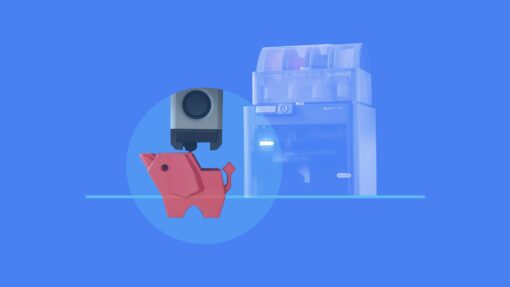
Illustration of a 3D printer creating a red 3D printed elephant model, with a blue background and translucent image of a Bambu Lab printer in the background. The artwork represents learning the fundamentals of FFF 3D printing, from printer operation to finished prints.

Learn the fundamentals of FFF 3D printing, from finding models and preparing prints to troubleshooting common issues and achieving reliable results.

New Course | Getting Started with your 3D Printer

2nd June 2026 • News

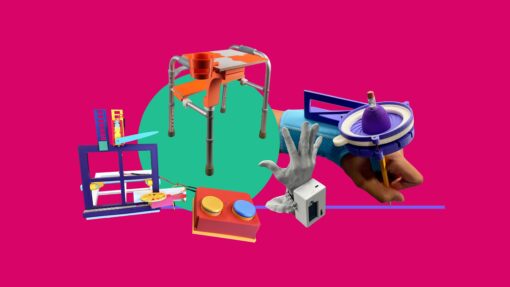
Collage of assistive technology designs selected as finalists in the Make:able 2026 challenge.

The Make:able 2026 finalists have been announced. Explore this year’s shortlist of assistive technology projects from around the world.

Make:able 2026 Finalists

31st May 2026 • News

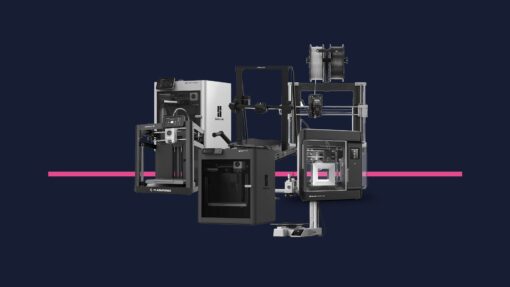
Collage of popular classroom 3D printers used by schools in 2026.

We surveyed 168 schools to discover the most popular 3D printer brands, models, and classroom setups being used in 2026.

What 3D Printers are Schools Using in 2026

11th May 2026 • News

Collage of headshots showing the full judging panel for the Make:able 2026 Challenge

Meet the Make:able 2026 judging panel and how submissions will be reviewed and shortlisted.

Introducing the Make:able 2026 Judging Panel

27th April 2026 • News

Make:able 2026 prize announcement graphic with repeated 3D printer silhouettes on a coloured background.

Discover the 2026 Make:able Challenge prizes and see which 3D printer is being awarded across all categories.

2026 Make:able Challenge Prize Announcement

7th April 2026 • News

3D printed design principles model set on a square base, featuring coloured examples such as overhangs, bridging, holes and spikes.

Our refreshed Designing for 3D Printing course focuses on the core principles of FFF printing, using real examples, test models, and a practical approach to help you design with confidence.

Designing for 3D Printing Course (Updated 2026)

30th March 2026 • News

3D render of a modular desk organiser in bright orange, featuring angled compartments holding purple bottles, hand tools, and slim rods, set against a soft purple background.

Design a custom 3D printed storage organiser in Tinkercad or Autodesk Fusion, engineered around real objects and real spaces.

Design Your Own 3D Printed Storage Organiser | New PrintLab Project

2nd March 2026 • News

Exploded 3D render of a MakerTrack handheld flashlight showing the green 3D printed enclosure lifted above a modular grid board with mounted LED, push button, coin cell battery, and internal component mounts.

Take a deep dive inside the MakerTrack course and discover how to move from solderless circuit experiments to fully designed 3D printed products.

Solderless Electronics for 3D Printed Products | Inside the MakerTrack Course

16th February 2026 • News

A black-and-white collage showing a person playing a trombone with an assistive support and a smiling child using an adapted drawing or writing board, set against a bold pink background with geometric shapes.

Discover the Make:able Challenge, a global design initiative using 3D design and 3D printing to create assistive solutions for real people. Here are seven reasons to take part.

7 Reasons to Take Part in the Make:able Challenge

22nd January 2026 • News

  • Previous
  • Next

Address

PrintLab International Ltd
Unit 15
Chorley Central Business Park
Stump Lane
Chorley
PR6 0BL
UK

Useful Links

  • Privacy policy
  • Terms of Service
  • Testimonials
  • Become a reseller

Email

hello@weareprintlab.com

Social

  • Twitter
  • Instagram
  • Facebook
  • Youtube
This site is protected by reCAPTCHA and the Google Privacy Policy and Terms of Service apply.

Enter Your Code

Whats a code?

A code is a combination of letters and numbers that gives you access to PrintLab’s Student Portal. If your school or organisation is signed up to PrintLab Classroom, simply ask them for the code and enter it above. If you’re an educator and not sure where to find your code, click here.

I need help

For any support queries or general questions, please email hello@weareprintlab.com and we’ll be happy to help!