3D Printed Desktop Games

Challenge Challenges

Welcome to PrintLab’s 3D Printed Desktop Games Challenge, where you’ll design and make your own playable game for a target audience of your choice. View the challenge details below and start a free trial to PrintLab today to access the full set of resources to support you with inspiration, skills tutorials and design guidance.

Illustration of four geometric game-piece shapes inside a circle, including dice and round tokens.

Criteria 1: Game Type

Your game must be a desktop game and an original creation - not an exact copy of an existing game. The type is completely up to you; it could be a board game, puzzle, dexterity challenge, or something entirely new. Just make sure it’s safe to play and free from any offensive or inappropriate content.


Illustration of a person inside a target-style circle, with two other simplified figures on each side.

Criteria 2: Target Audience

You can design for a target audience of your choice but the game must be multiplayer.

Illustration of a lightbulb connected by an arrow to a tick symbol, with a large pencil beside it.

Criteria 3: Design Process

Use any design process that works for you, but make sure to explore PrintLab’s Tools Library for inspiration, design methods, and helpful resources.

Simple illustration of a 3D printer nozzle extruding material to form a cube with dashed guide lines.

Criteria 4: Components

Your game should be made up mostly of 3D printed components (Over 50%), but you can use additional materials such as cards, dice, or string where needed.

Illustration of an open book with a vertical sequence of dots beside it and an information symbol in a circle.

Criteria 5: Game Instructions

You must provide clear, well-organised instructions that explain how to set up, play, and complete the game. The rules should make it possible for new players to understand the game without assistance.

Illustration of a hand holding two documents, one with an upload arrow symbol.

Criteria 6: Submission Requirements (Optional)

For those completing the PrintLab Level 3 Innovator Certification, you must submit three high-resolution images of your game, your design and print files, a short description of your solution and design process, and clear game instructions.

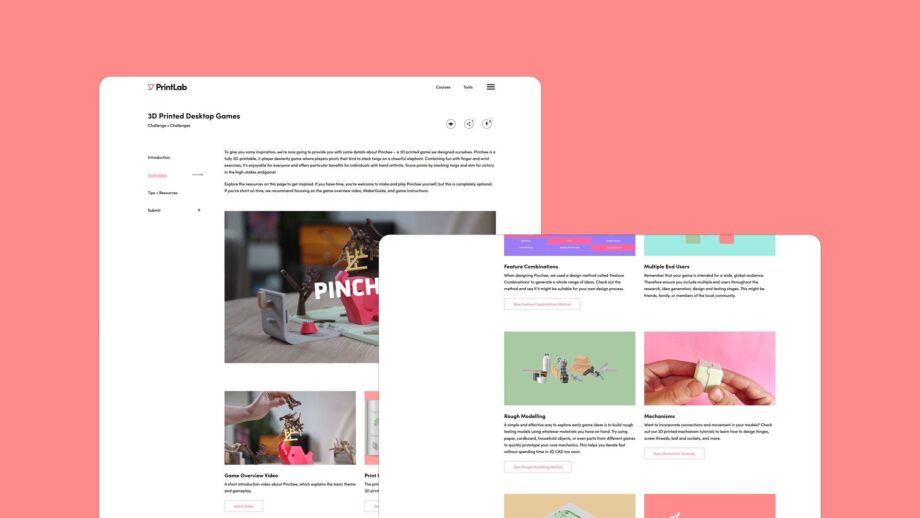
A mockup of the PrintLab 3D Printed Desktop Games Challenge platform displayed on two overlapping browser windows against a coral background. The larger window shows the Inspiration section with images of the Pinchee game, while the smaller window shows the Tips and Resources section with colourful cards for design methods like Feature Combinations, Rough Modelling and Mechanisms.

The Learning Platform

The challenge learning platform provides you with a variety of contextual resources and design tips, including a deep dive into PrintLab's very own Pinchee game.

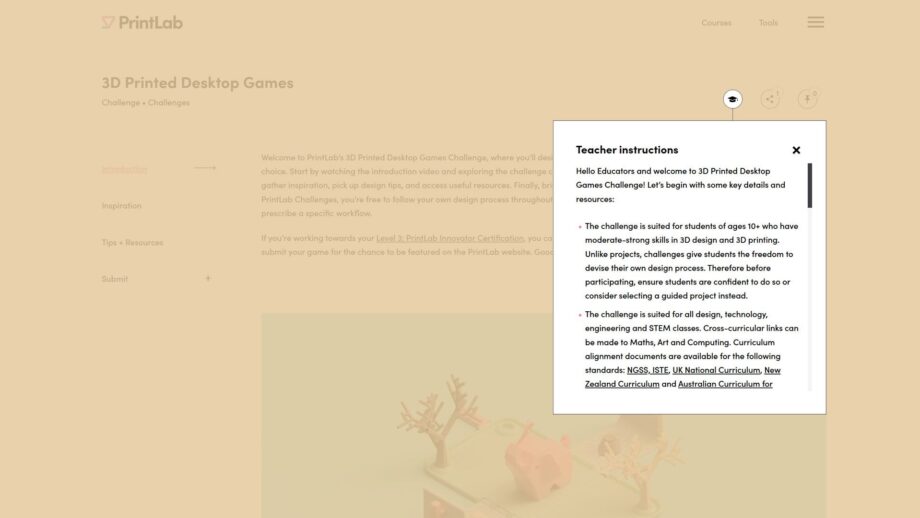
A screenshot of the PrintLab 3D Printed Desktop Games Challenge platform showing the Teacher Instructions popup. The popup contains guidance for educators, including bullet points about student suitability, curriculum alignment and project setup. The background shows the main challenge page faded out with a decorative game scene underneath.

Teacher Resources

With our education licenses, you can generate a share link to give your students access to the challenge learning platform. Each section of the platform also has a teacher instructions tab, which provides you with step-by-step lesson plan instructions, curriculum alignment resources and an assessment rubric.


Ready to Get Started?

This challenge and associated learning materials are available to subscribers of PrintLab. Learn more about our license options and start a free trial today to access a whole range of resources across the fields of 3D printing, 3D design, assistive technology, product design and STEM.


Start a Free Trial to PrintLab