3D Printed Homeware

Challenge Challenges

Welcome to PrintLab’s 3D Printed Homeware Challenge, where you’ll be using creative and entrepreneurial skills to design a desirable and sellable 3D printed homeware product. View the challenge details below and start a free trial to PrintLab today to access the full set of resources to support you with inspiration, skills tutorials and design guidance.

A minimalist icon of four square tiles arranged in a 2×2 grid, each showing a different pattern such as stripes, dots, curves and a lattice design. The tiles are outlined in soft beige against a dark charcoal background, representing product variety and material or texture exploration.

Criteria 1: Product Type

You can design any type of homeware product, from décor and storage to kitchen or desk accessories. The only requirement is that it must make meaningful use of at least one advantage of 3D printing, such as geometric freedom, customisation, modularity, lightweight structures, or on-demand production. Your idea should clearly show why 3D printing is the right method for making it.


A minimal icon depicting two people side by side with a speech bubble above them. The characters are shown in dark and light neutral tones on a muted green background, representing user research, feedback or understanding an audience.

Criteria 2: Target Audience

Your product can be designed for any target audience you choose, from students or parents to hobbyists, pet owners or a specific type of home user. What matters is that your design includes features tailored to that group’s needs or preferences, showing how your chosen audience influenced your decisions.

A simple icon of a bar chart with three rising bars in neutral pink and beige tones, next to a green upward arrow and a dark coin with a dollar symbol. Set on a light beige background, the graphic represents profit, pricing and business strategy.

Criteria 3: Commercial Strategy

Your product should be something that could realistically be sold. This means making simple considerations about how it could be manufactured, advertised, priced and distributed. You do not need a full business plan, but you should show basic thinking about how your product could reach customers and generate profit.

An icon showing a light bulb with a pencil inside the bulb’s outline, symbolising creative ideas. Small green lines radiate outward like rays of light. The design uses soft beige and pink tones on a taupe background.

Criteria 4: Design Process

You should follow a clear, iterative design process to develop your product. This includes generating multiple early ideas, comparing them to your criteria and selecting the strongest direction to refine. You can use any approach you like, but we encourage you to explore the brainstorming tools on the PrintLab platform to help you create a wide range of possibilities.

A simple illustration of a 3D printer nozzle extruding a wavy line of filament. The design uses muted pink and green tones on a pink background, symbolising 3D printing and fabrication.

Criteria 5: 3D Printed Components

At least 80 percent of your final product should be 3D printed. You can include other materials or bought components if needed, but the majority of the design must rely on 3D printing and demonstrate how the technology supports the product’s form or function.

A stylised icon of a hand offering an upward-facing document with a small upload symbol. The hand is green, the document is pink, and the background is dark charcoal. The image represents submitting work or uploading project files.

Criteria 6: Submission Requirements (Optional)

For those completing the PrintLab Level 3 Innovator Certification, you must submit three high-resolution images of your product, your design and print files, a short description of your solution and design process, and a brief overview of your potential sales strategy that explains how the product could be made, priced and sold.

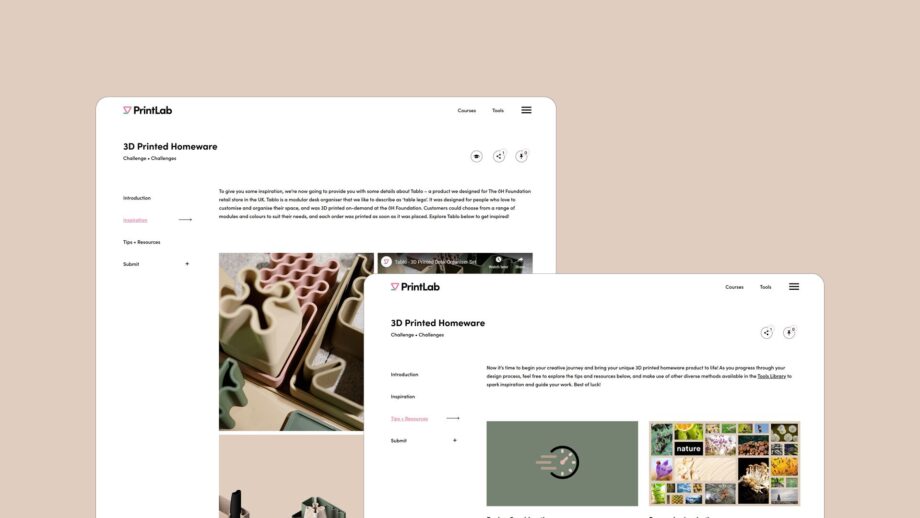
Two screenshots of the PrintLab learning platform are shown on a beige background. The pages displayed belong to the 3D Printed Homeware Challenge. One screen highlights the Inspiration section featuring the Tablo desk organiser images, while the other shows the Tips + Resources section with imagery such as the Image Search Board. Navigation links for Introduction, Inspiration, Tips + Resources and Submit are visible on the left side of each page.

The Learning Platform

The challenge learning platform provides you with a variety of contextual resources and design tips, including a showcase of PrintLab's very own Tablo desk organiser set.

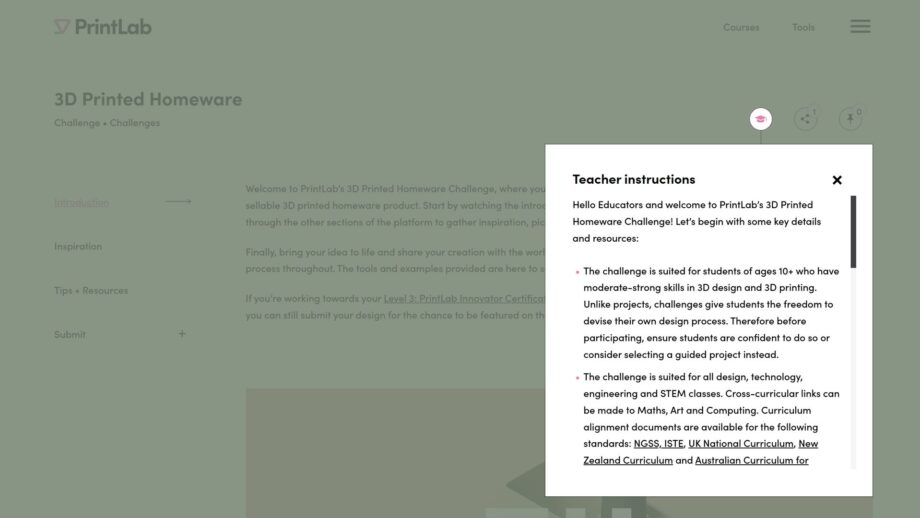
A screenshot of the PrintLab 3D Printed Homeware Challenge webpage, shown with a mint-green background. A pop-up window titled “Teacher instructions” appears on the right side, containing introductory guidance for educators. The main page navigation on the left includes links for Introduction, Inspiration, Tips + Resources and Submit.

Teacher Resources

With our education licenses, you can generate a share link to give your students access to the challenge learning platform. Each section of the platform also has a teacher instructions tab, which provides you with step-by-step lesson plan instructions, curriculum alignment resources and an assessment rubric.


Ready to Get Started?

This challenge and associated learning materials are available to subscribers of PrintLab. Learn more about our license options and start a free trial today to access a whole range of resources across the fields of 3D printing, 3D design, assistive technology, product design and STEM.


Start a Free Trial to PrintLab